AI Loop Audio
This page is also available in other languages: Deutsch, 한국어, 日本語, Español, Português (Brasil), Français
This tool picks the loop points so you don't have to hunt for matching zero crossings by ear. It scans the track, finds a start and end where the waveform lines up, and builds a version that repeats without an audible click at the join. It runs in your browser, free, with no signup or install, and reads common files like MP3 and WAV.
To use it: upload a file, let it analyze the track, and review the loop it picks. You can move the suggested start and end if you want a shorter section, then play it back to check the join and export.
More content below
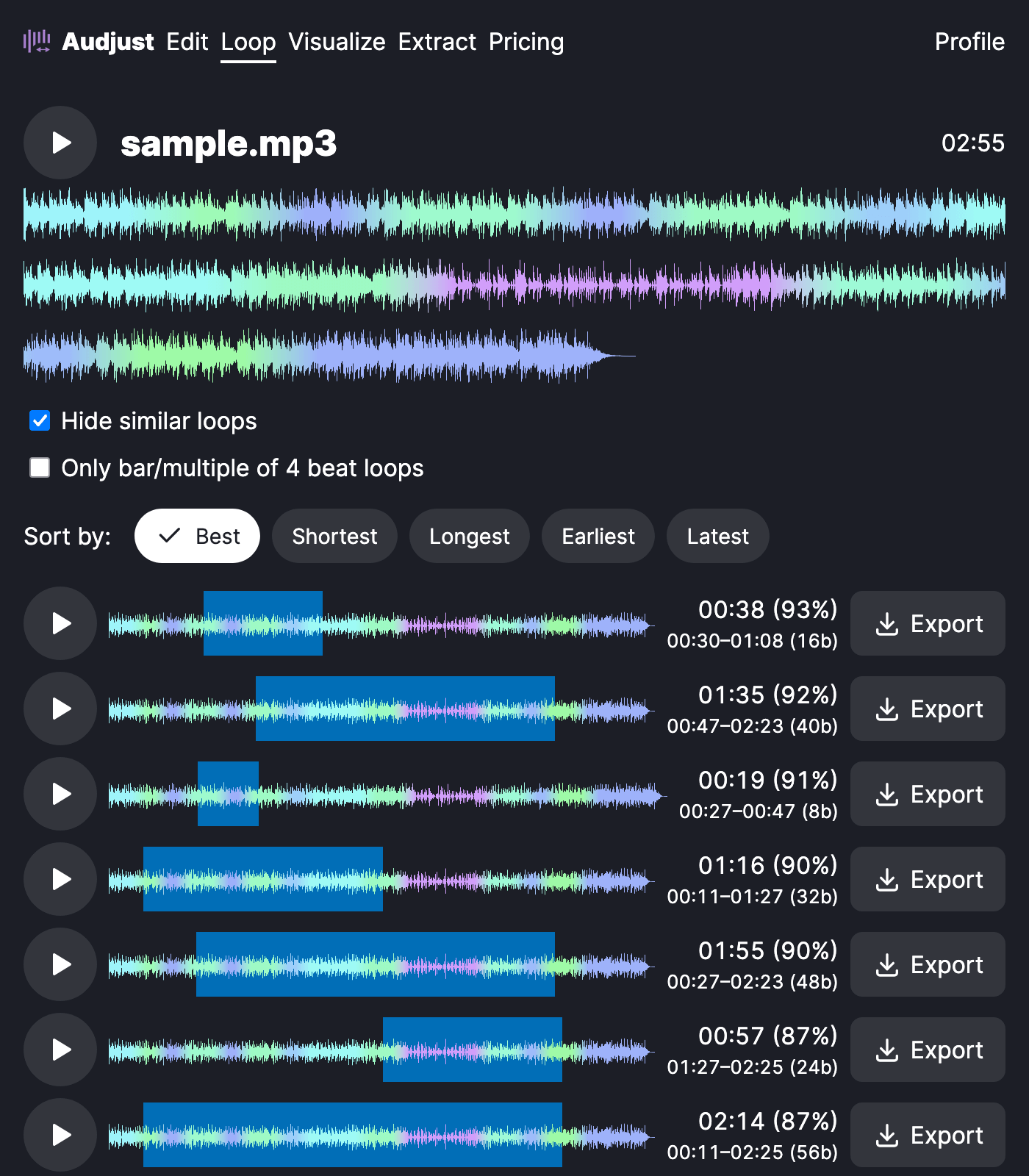
It's useful when you need background music that repeats with no noticeable restart: a stream overlay, a menu screen, a website, or a study and focus track you want running for an hour. Producers also use it to pull a clean loop or sample out of a longer song to build on.
One honest caveat: it finds the cleanest loop the track actually contains, but songs with a hard intro or a fade ending may have no perfect internal loop. Trimming off the intro first gives the analysis more even material to match, and steady, consistent tracks loop better than ones with big dynamic swings. Either way, listen through one full repeat before you export so you can hear the join yourself.
Start editing for free! →
No account or email required
