Loop A Song Online
If you want a song to play on repeat without the click or gap at the end, this tool builds a looping version for you. It scans the track, finds where the end lines up with the start, and gives you a file you can play over and over without hearing where one pass ends and the next begins.
Upload an audio file, then let it analyze the track. It picks the cleanest loop points for you, and you can drag the start and end on the timeline to set the exact section you want to repeat. Play it back, nudge the points until the seam disappears, then export. You can also use it to pull a single loop or sample out of a longer song.
More content below
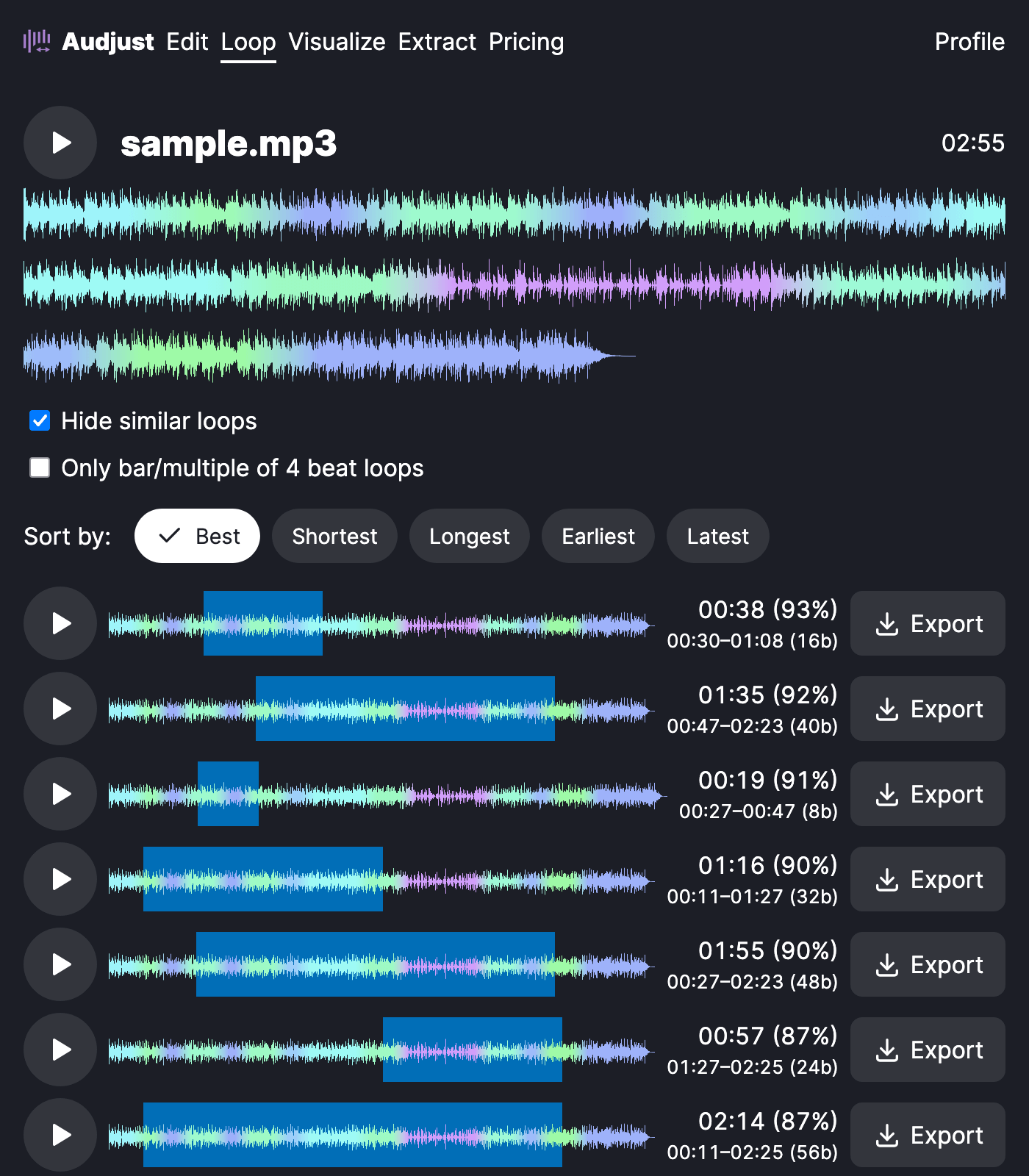
This helps when you need background music under a stream, a video, or a presentation that would otherwise restart audibly every few minutes. It works for study or focus tracks you want running for an hour without re-queuing, and for producers grabbing a clean loop or sample to build on, or a repeating bed for a game.
One tip: the smoothest loops usually sit on a beat or bar line, so set your start and end to the same point in the rhythm. Looping across a held note or fading tail is cleaner than cutting through a sharp drum hit.
The common question is whether the loop is really gapless. Yes: it matches the audio at both ends so playback wraps with no silence and no click, not just restarting the file.
It is free, works in your browser with no signup or install, and handles common formats like MP3 and WAV.
Start editing for free! →
No account or email required
