Loop Audio File
This tool takes an audio file you already have and turns it into a version that repeats cleanly, so the end flows back into the start without a click, gap, or jolt. You pick the section, and Audjust finds the points where the waveform lines up so the loop sounds continuous instead of obviously restarting.
To use it, upload your file (MP3 and WAV both work). Choose whether the whole track should loop or just a slice of it, then let Audjust find the cleanest repeat points. Preview the loop, nudge the start and end if you want, and export the looping file.
More content below
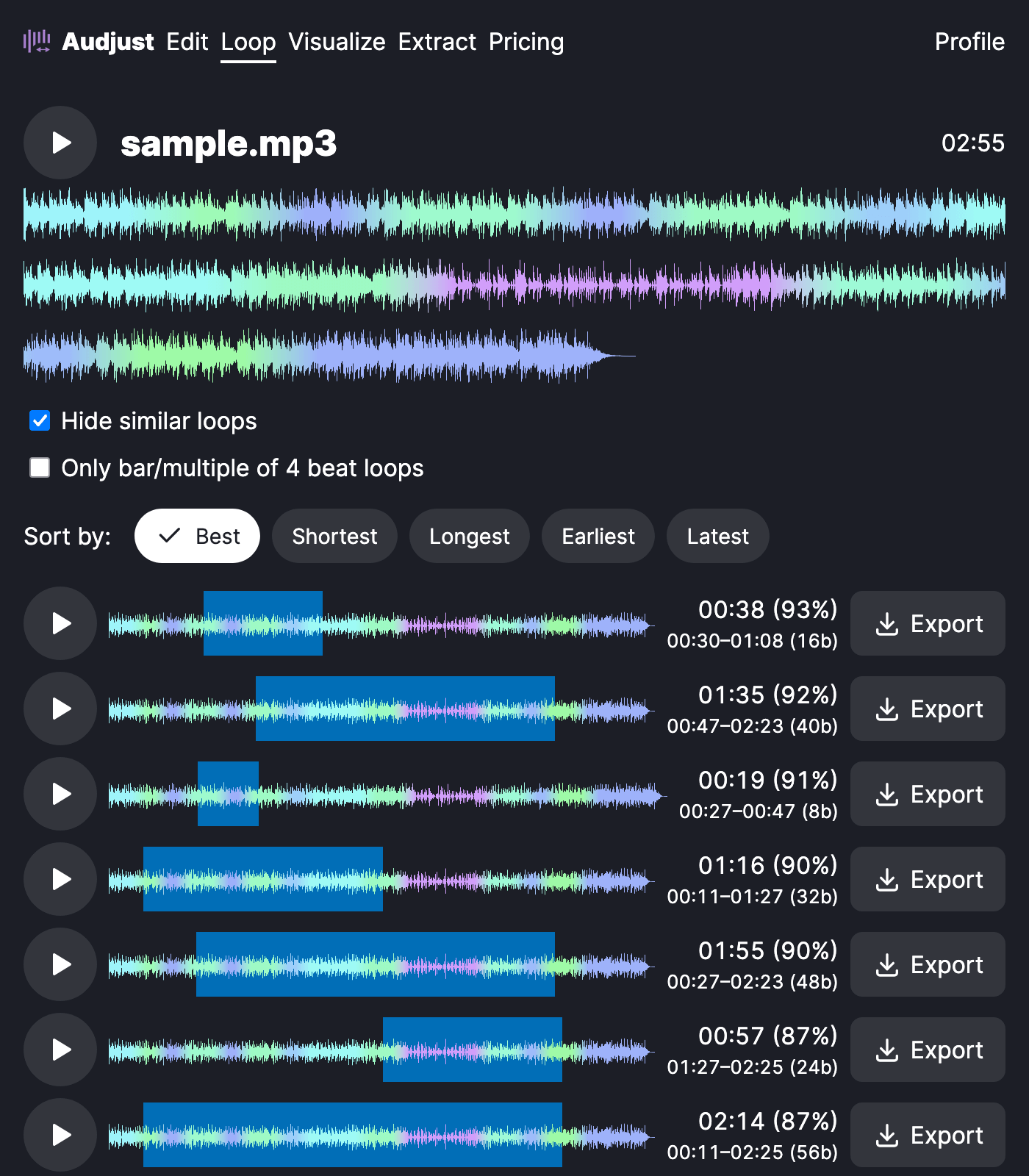
A common reason to do this is background music for a video, stream, or kiosk that has to play for a long stretch from one short file. It also helps when you have a clip and want it to run on repeat without anyone hearing the same seam over and over, or when you need a loop or sample to drop into a track you're producing.
One thing worth knowing: the cleanest loops usually come from sections with steady volume and rhythm. Avoid cutting on a sharp drum hit or a fading note, since those make the join easier to hear. Trim to a full musical phrase when you can.
People often ask whether the file will sound choppy where it repeats. It shouldn't, because the tool matches the audio at the loop boundary rather than just cutting and pasting. Preview the transition and adjust the points until it sounds right before you export.
Everything runs in your browser. It's free, with no signup and nothing to install.
Start editing for free! →
No account or email required
