Loop Maker Audio
This loop maker takes an audio file you already have and turns it into a version that repeats without an audible click or gap. Instead of guessing where to cut, Audjust scans the track for the cleanest matching points and joins them so the end flows back into the start.
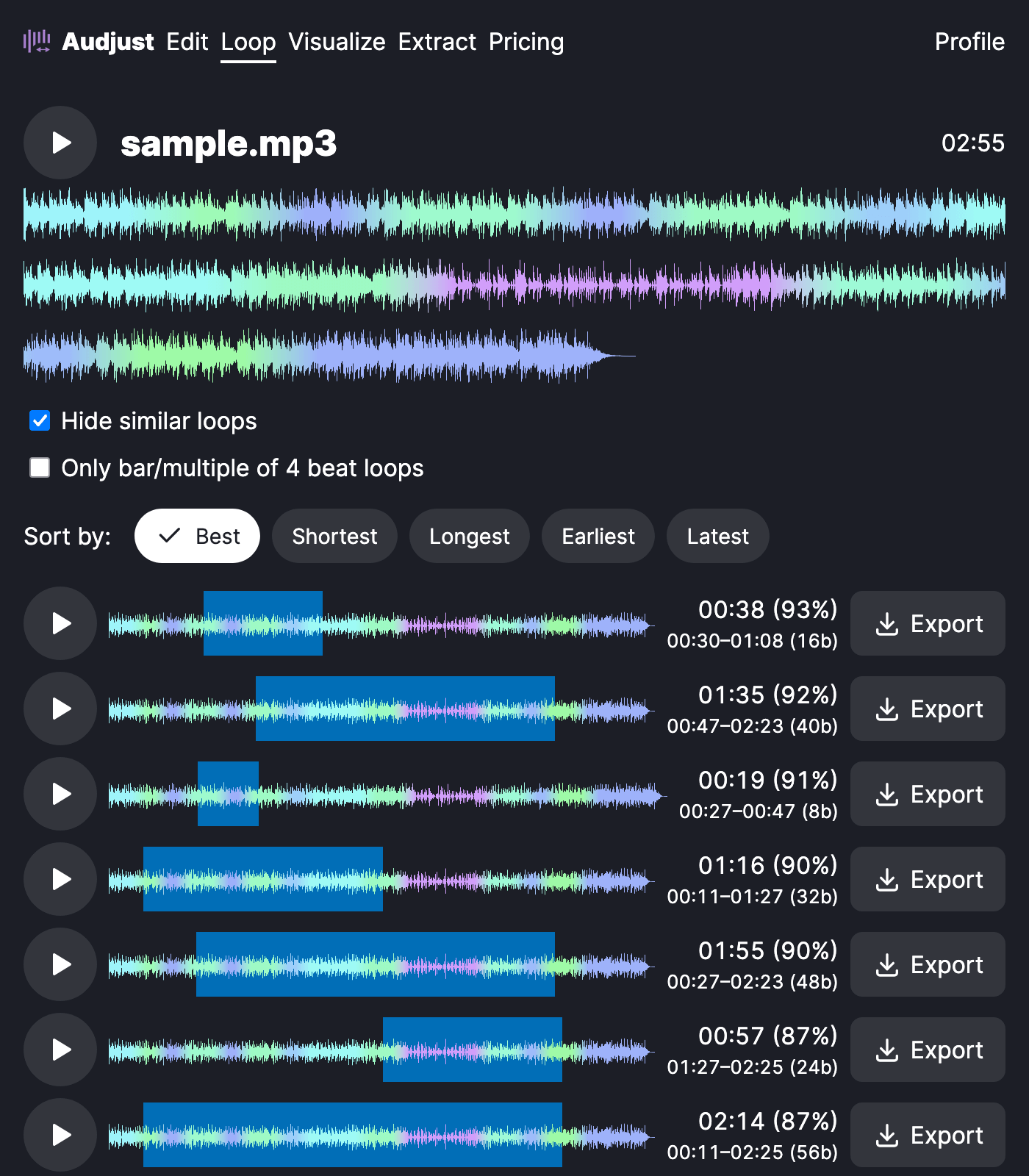
To make a loop, open the tool in your browser and load an MP3 or WAV by uploading a file. Audjust analyzes the audio and suggests loop points. Adjust the start and end if you want a specific section, preview the repeat, then export the looping audio.
More content below
It's useful when you need a short piece of music to run continuously: a background bed for a video, a menu track for a game, or a focus loop you can leave playing while you study. You can also pull a single bar or phrase out of a longer song and turn just that part into a tight, repeatable loop or sample.
One thing worth knowing: loops sound best when the start and end land at the same spot in the rhythm, so trim to a whole number of beats or bars rather than an arbitrary point. Matching the volume and energy at both edges helps the seam disappear too.
The common question is whether the loop is truly gapless. It is. The point is to remove the audible seam by lining up the cut points, so the audio repeats without a pop or a stretch of silence between passes.
Start editing for free! →
No account or email required
