Loop MP3 Online
This page is also available in other languages: Deutsch, 한국어, 日本語, Español, Português (Brasil), Français
This tool takes an MP3 you already have and turns it into a version that repeats without a click or an obvious jump. It scans the audio for a spot where the track can wrap back on itself, sets the loop points there, and plays the result so you can hear the join before you keep it.
To use it: open the page, drop in your MP3 or pick a file from your device, and let it analyze the audio. It suggests loop points, you play the loop, nudge the start and end if you want a shorter or tighter section, then export the looping MP3 once the seam sounds right.
More content below
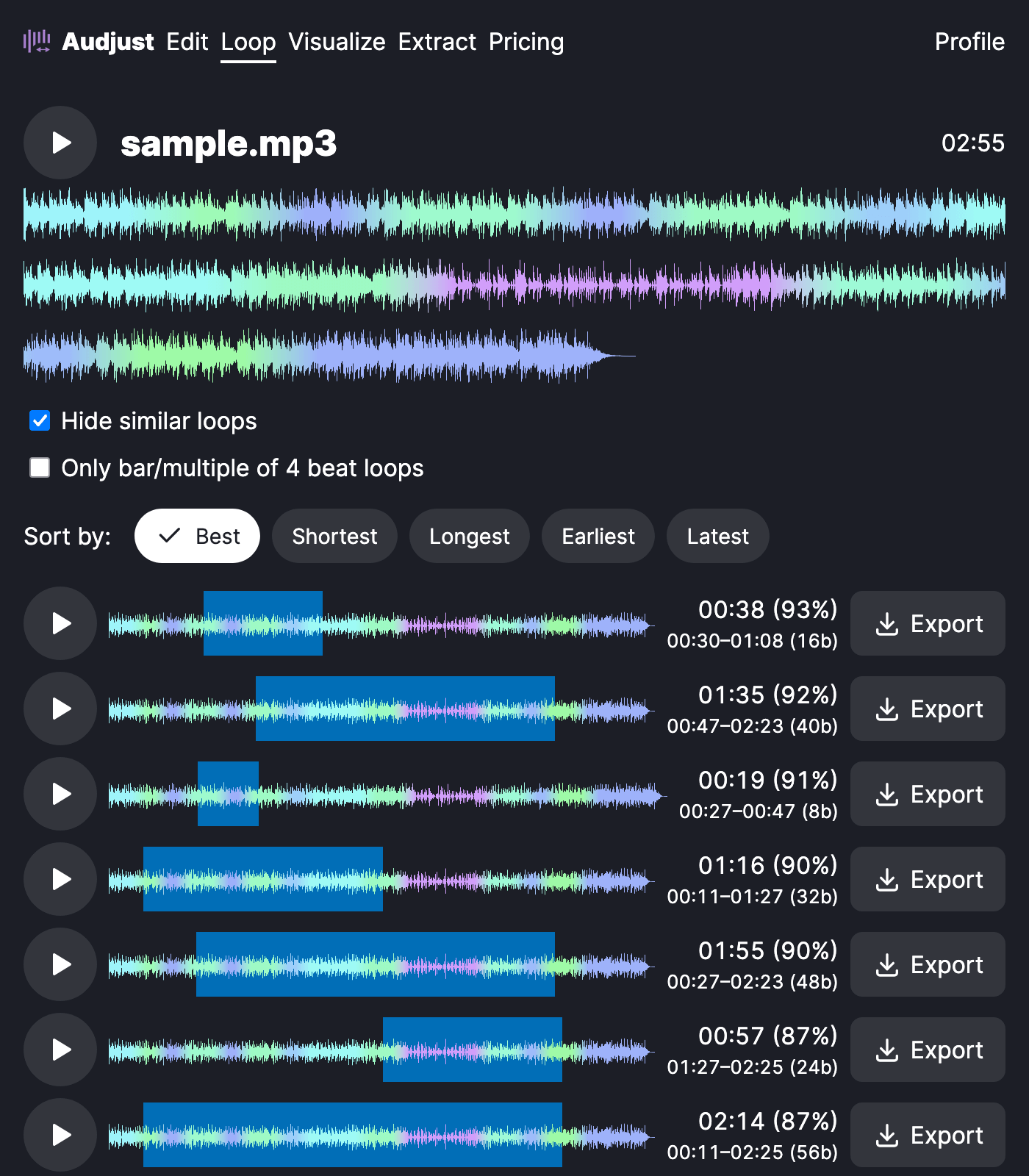
It's useful when you have a piece of background music for a stream, a video, or a kiosk that needs to play on repeat without a noticeable restart. It also works for pulling a short section out, like an eight-bar phrase, and looping that on its own.
One thing worth knowing: tracks with a fade-in or fade-out at the very start or end rarely loop well from those points, because the volume jumps when it wraps around. Pick loop points inside the steady part of the song and the join will be much smoother.
People often ask whether the loop plays endlessly. The exported MP3 is a normal audio file, so it repeats for as long as your player is set to loop or repeat. What this tool does is make that repeat sound continuous instead of restarting.
Start editing for free! →
No account or email required
