MP3 Loop Maker
This tool takes an MP3 you already have and makes a looping version of it. It scans the track, finds where the end can meet the start without a click or jump, and gives you back a loop you can play on repeat or save as a file. It runs in your browser, it's free, and there's no signup or install.
To use it, load your MP3 by uploading the file. The tool analyzes the audio and suggests loop points. You preview the loop, nudge the start and end if you want a tighter or longer cut, then export the result.
More content below
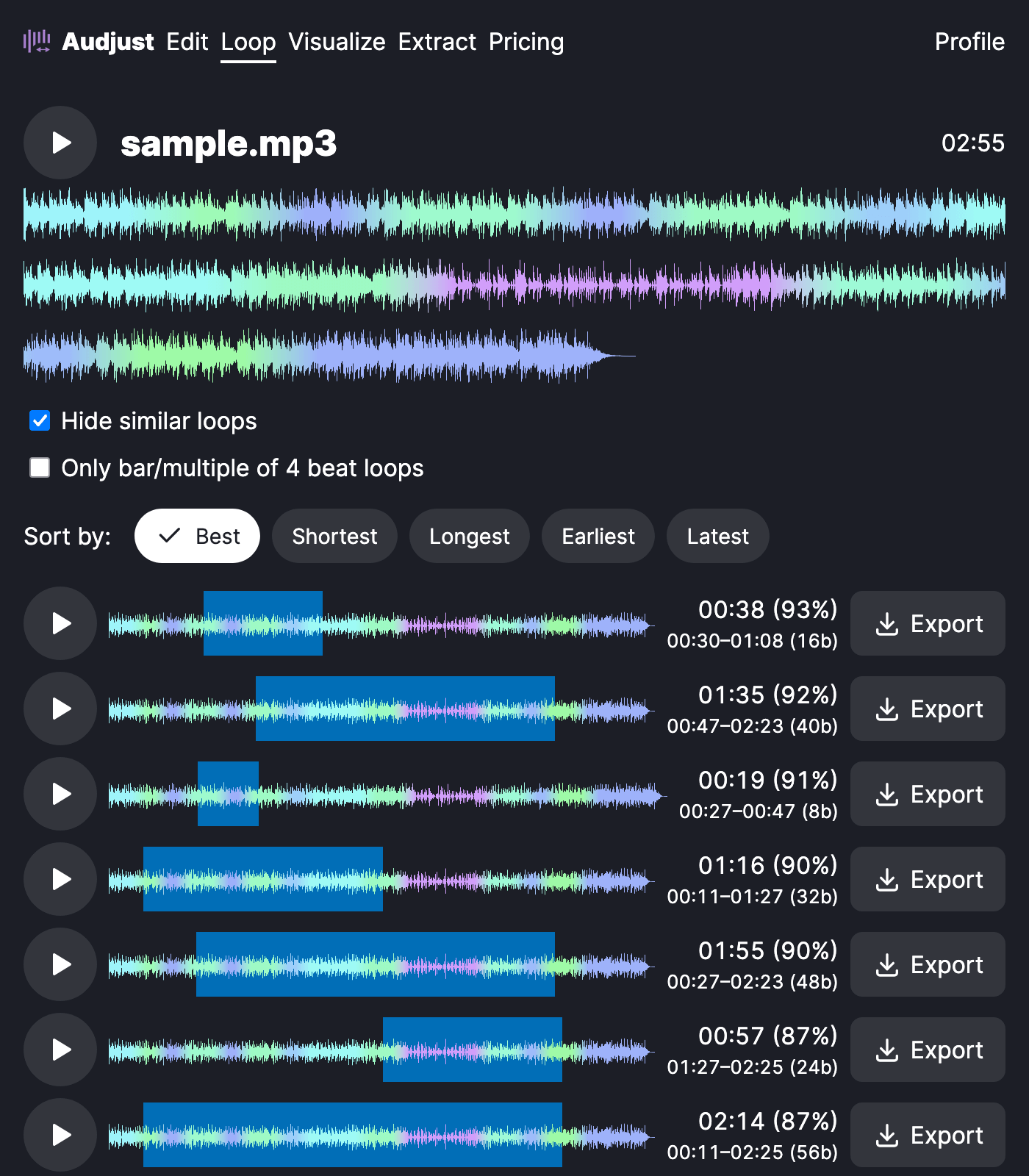
People usually reach for this when they have a song or piece of music as an MP3 and need it to repeat without a gap: a stream background, a kiosk, a waiting screen, or a focus track left running for an hour. Instead of fading out and restarting, the track wraps back around on its own.
It also works when you just want a short, repeatable chunk, like a few bars to layer into a video or game.
One thing worth knowing: the cleanest loops come from sections with steady rhythm and a consistent sound, such as a chorus, a groove, or an ambient pad. A spot where the instruments change suddenly is harder to hide, so if a loop sounds off, shift it to a more even part of the track.
The common question is whether the loop is really gapless. Yes, the tool matches the end to the start so playback wraps without a click, and you can hear it before you export.
Start editing for free! →
No account or email required
