Song Loop Finder
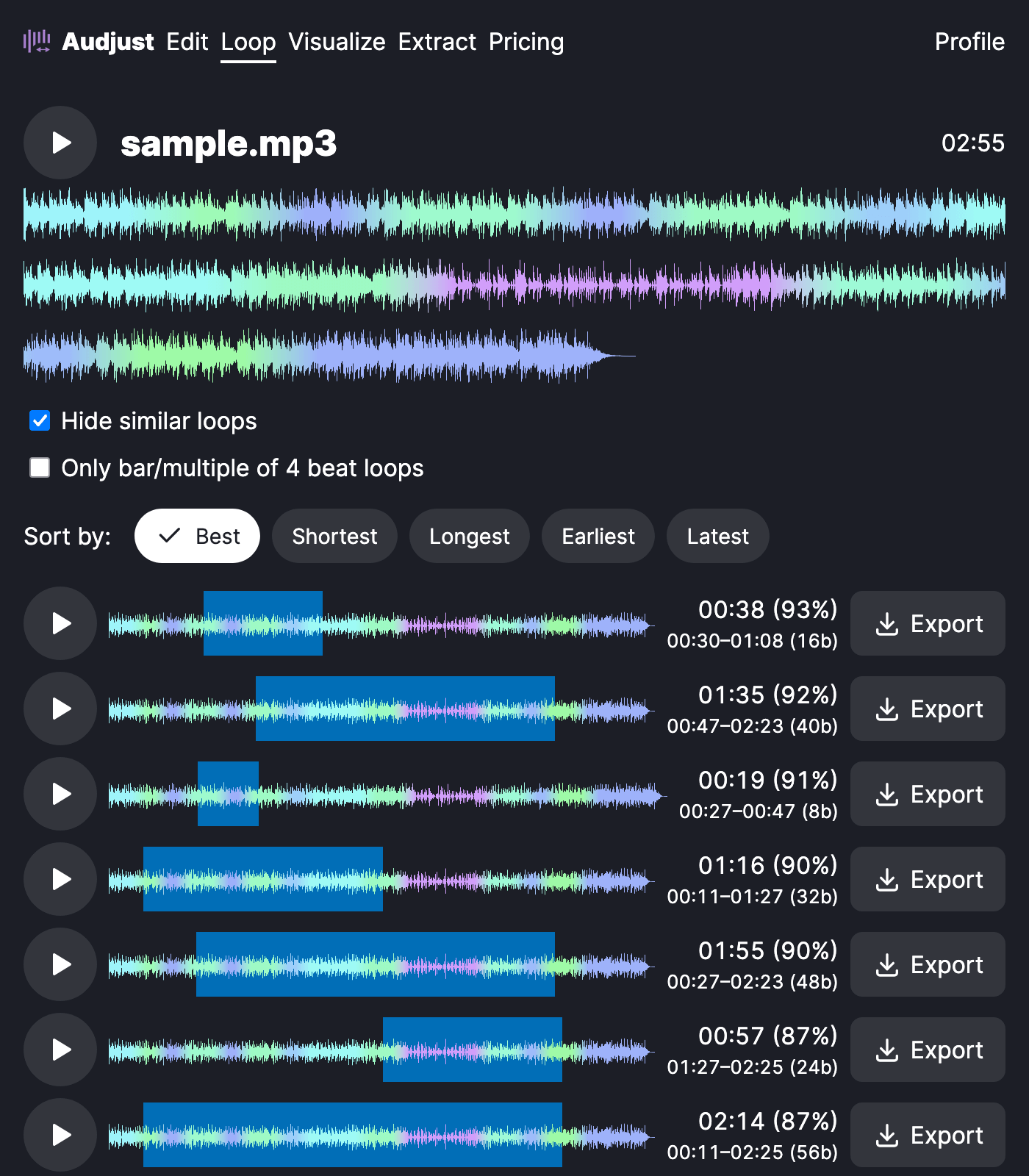
A song loop finder takes a full track and works out where it can repeat without an audible jump. Audjust scans the song for points where the waveform lines up, picks the cleanest one, and builds a version that loops back on itself so the seam doesn't pop or click. You can also use it to pull a shorter loop or sample out of a longer song.
To use it, open the tool in your browser and load a song by uploading an MP3 or WAV. It analyzes the audio and suggests loop points. Set or nudge the start and end of the section you want to repeat, listen to the loop play through the join, and adjust until the transition is clean. Then export the looping version.
More content below
This helps when you have one favorite song and need it to keep playing, for example as background music for a stream, a study session, or a long focus block, without re-triggering the track every few minutes. It also works for grabbing a tidy loop or sample to drop into a beat or a game level.
One thing worth knowing: the cleanest loops usually fall on the beat and at matching points in the bar. A loop that starts and ends at the same place in the rhythm sounds far more natural than one cut at a random second, so aim the start and end markers at the same beat position.
It's free, runs right in your browser with no signup and no install, and works with common files like MP3 and WAV.
Start editing for free! →
No account or email required
