Song Loop Maker
A song loop maker takes a track you already have and turns it into a version that repeats without an audible break. Audjust scans the audio, finds the points where the start and end line up most cleanly, and exports a looping file that plays over and over without a jump or click at the seam. It runs in your browser, free, with no signup or install.
To make a loop, drag in an MP3 or WAV, wait a few seconds for it to analyze, then preview the suggested loop. You can nudge the start and end points if you want a tighter section, listen to the loop run past the seam to check it sounds right, then export the looping version to download.
More content below
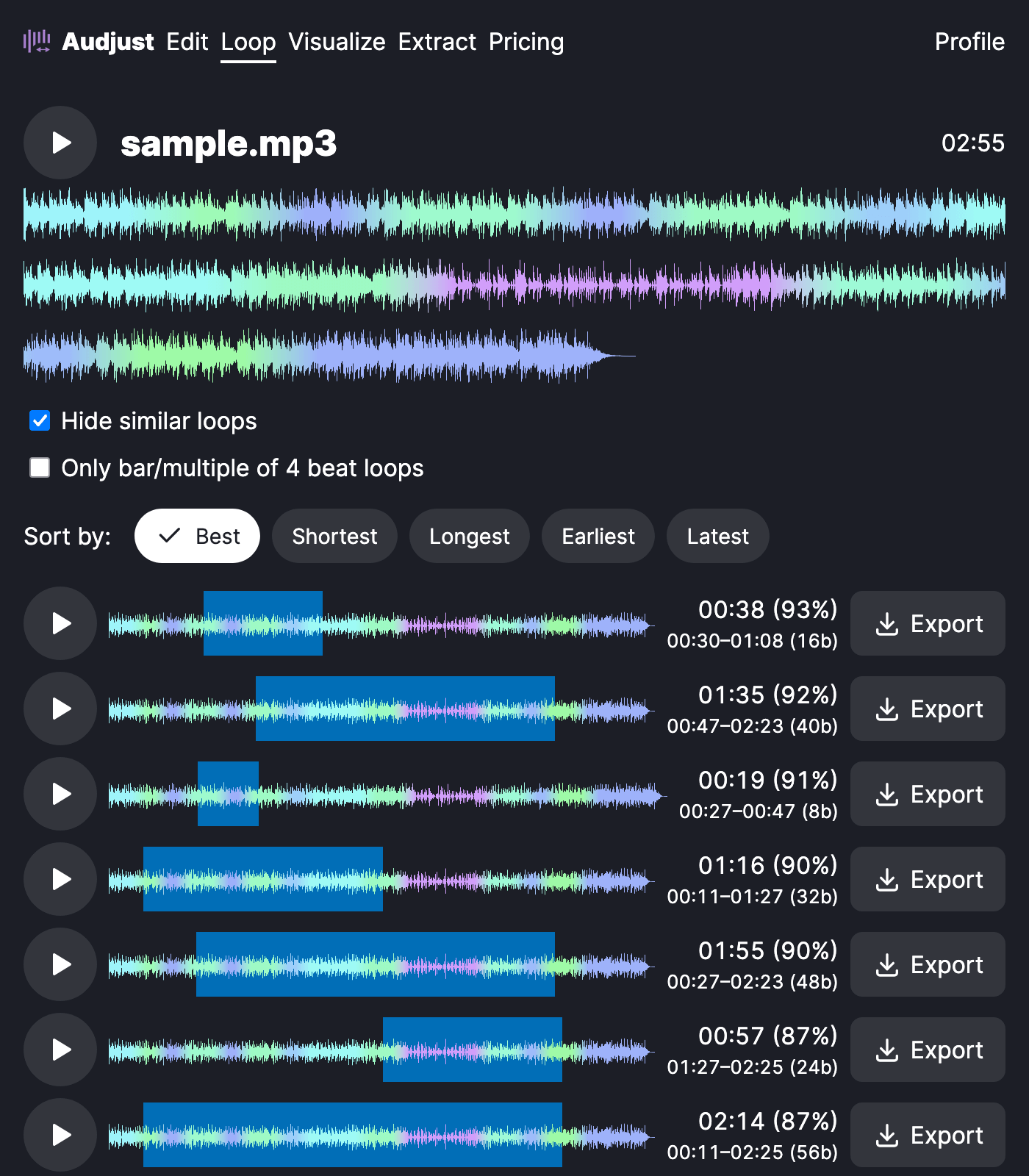
This helps when you need a song to play continuously: background music for a stream or shop, an ambient bed under a video that has to fill a set length, or a focus track you want running for an hour without it restarting and breaking your concentration. Producers can also pull a shorter loop or sample straight out of a song.
The cleanest loops usually come from a steady, repetitive part of the track rather than the intro or a section where vocals trail off. If a seam still sounds slightly off, drag the start and end markers a little and re-preview until the join disappears.
Because Audjust matches the waveform at both ends rather than just cutting and pasting, you can hear exactly how the loop sounds in the preview before you download anything.
Start editing for free! →
No account or email required
