Visualize Audio
This tool draws your audio as a waveform you can scan from start to finish, with the track's sections marked on top, so loud and quiet moments, builds, and drops are easy to spot instead of scrubbing back and forth to find them.
Open the page and upload an MP3 or WAV. It analyzes the file in your browser and draws the waveform with section markers laid over it. Scroll or zoom along the timeline, click to jump to any point, and play from there to hear what a given shape sounds like.
More content below
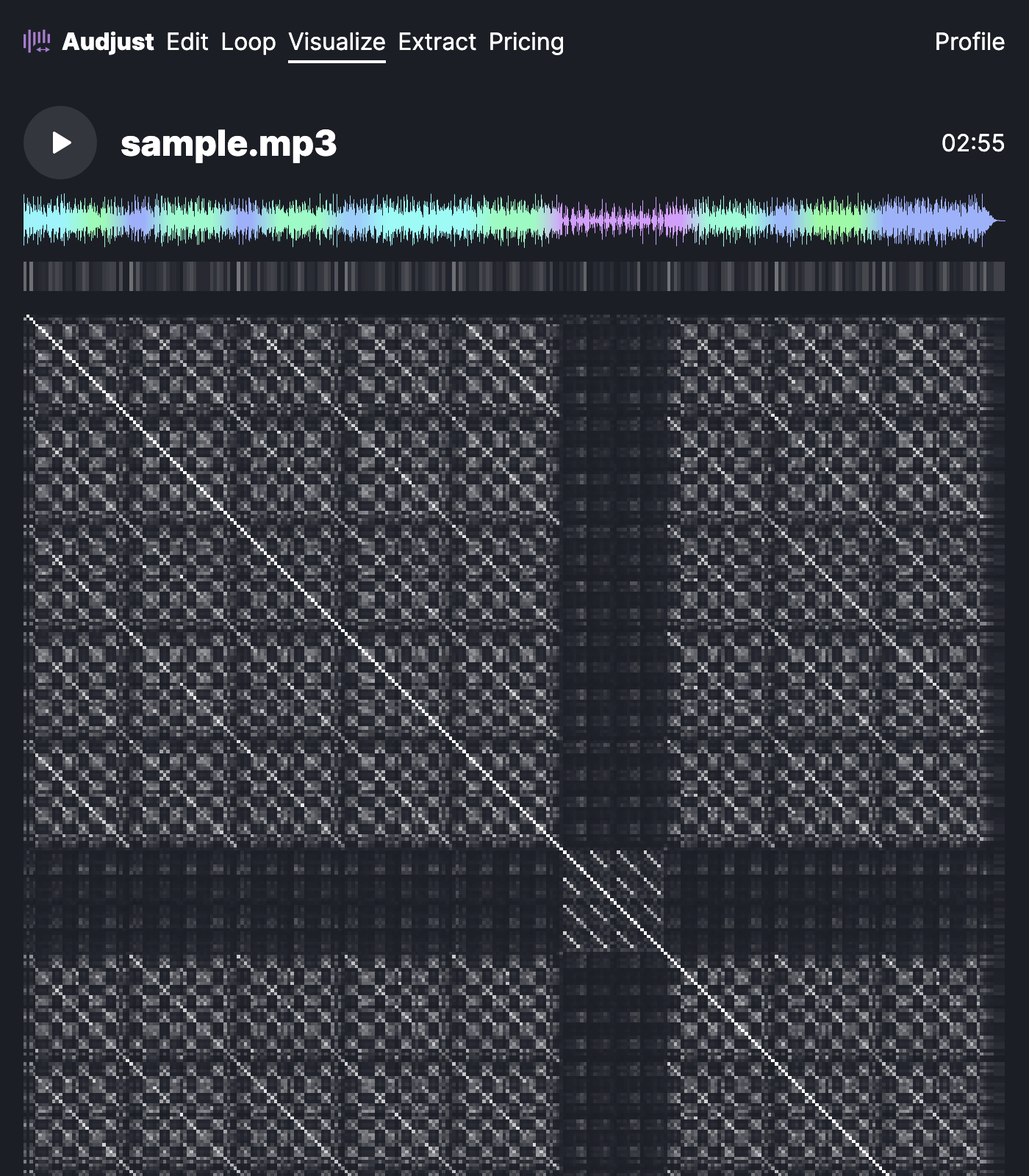
Seeing audio this way helps when you need an exact moment. If you're hunting for the start of the chorus to set a clean cut, the waveform shows where the energy rises so you can land on the right spot. It also makes uneven levels obvious, like a section that's noticeably quieter than the rest.
One thing worth knowing: zoom in before you trust a marker. At full-track zoom a beat can sit a fraction of a second off from where it looks. Zooming in gives you sample-level detail so your eye matches your ear.
The most common question is whether you need to install anything. You don't. It runs in the browser, it's free, and there's no signup, so you can drop a file in and see it right away.
Start editing for free! →
No account or email required
